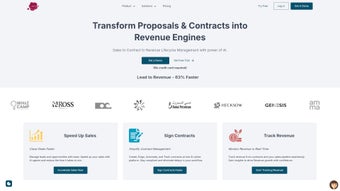

Download Legitt AI – AI‑Powered Contract Management Tool for Secure, Automated Legal Workflows
Why Legitt AI Is Changing the Way Companies Handle Contracts
In today’s fast‑paced business environment, contracts are the backbone of every transaction, partnership, and compliance requirement. Yet managing them manually remains a costly and error‑prone exercise. Legitt AI steps in as a web‑based platform that brings artificial intelligence to the heart of contract management.
By automating the creation, review, tracking, and repository analysis of legal documents, Legitt AI lets legal teams and small‑business owners focus on strategic decisions rather than repetitive paperwork. The solution is built on a secure cloud architecture, guaranteeing that sensitive data remains encrypted at rest and in transit, while also offering real‑time collaboration across teams. Whether you need a quick, legally‑binding agreement for a freelance project or a comprehensive risk‑assessment across thousands of enterprise contracts, Legitt AI delivers a scalable, intuitive, and compliant experience.
Its modular design includes a free tier for startups, a lightweight Legitt Lite for SMBs, and a full‑featured suite for large organizations that require enterprise‑grade analytics and audit trails. By combining a user‑friendly interface with powerful AI engines, the platform reduces contract cycle times by up to 60 % and cuts legal review costs dramatically. This introductory guide walks you through the core capabilities, installation steps, system requirements, and the real‑world pros and cons you’ll encounter when you decide to download and deploy Legitt AI.
Key Features That Make Legitt AI a Must‑Have Contract Management Solution
- AI Contract Generator – Draft customized, legally‑binding contracts in seconds by answering guided prompts; the engine automatically inserts jurisdiction‑specific clauses and compliance language.
- AI Contract Reviewer – Upload any existing agreement and receive a detailed risk report highlighting inconsistencies, missing clauses, and potential liabilities.
- AI Repo Analyzer – Scan entire contract repositories (thousands of documents) to flag systemic risks, expiration dates, and non‑standard terms across the portfolio.
- AI Contract Tracking – Automated monitoring of contract milestones, renewal dates, and obligations with real‑time alerts delivered via email or Slack.
- Legitt Lite – A streamlined version for small businesses that includes essential generation and review tools without the heavy‑duty analytics module.
- Secure Cloud Storage – End‑to‑end encryption, role‑based access control, and audit logs ensure that sensitive legal data stays protected.
- Collaboration Workspace – Multiple users can comment, suggest edits, and approve contracts within a shared dashboard, reducing email back‑and‑forth.
- Integration Capabilities – Connect Legitt AI with popular CRM, ERP, and document‑management systems via RESTful APIs and native Zapier integrations.
- Compliance Dashboard – Visualize adherence to GDPR, CCPA, and industry‑specific regulations through customizable compliance reports.
- Continuous Learning Engine – The AI models improve over time, learning from user feedback and emerging legal standards to keep the contract language up‑to‑date.
Each feature is designed with usability in mind. For example, the AI Contract Generator walks users through a step‑by‑step wizard that automatically inserts boilerplate clauses, while still allowing custom language for unique business scenarios. The Reviewer not only highlights risky language but also suggests alternative phrasing, turning a passive audit into an active improvement loop.
Meanwhile, the Repo Analyzer’s batch‑processing capability can ingest CSV, PDF, or DOCX files, applying natural‑language processing to surface hidden patterns such as recurring indemnity clauses that may expose the organization to undue risk. The tracking module integrates with calendar apps, ensuring that renewal deadlines never slip through the cracks. All of these capabilities are delivered through a responsive web UI that works equally well on desktops, tablets, and smartphones, making contract management truly mobile‑first.
How to Install, Use, and Integrate Legitt AI Across Your Tech Stack
Step‑by‑Step Installation
Because Legitt AI is a cloud‑native SaaS platform, there is no traditional software download or local installation required. Getting started is as simple as creating an account on the official website. Follow these steps:
- Visit legitt.ai and click “Sign Up”.
- Choose the appropriate plan – Free, Legitt Lite, or Enterprise – and provide billing information if necessary.
- Verify your email address through the confirmation link sent to your inbox.
- Log in to the dashboard and complete the onboarding wizard, which includes setting up your organization’s profile, user roles, and preferred compliance standards.
- Optionally, connect third‑party tools (e.g., Salesforce, HubSpot, Microsoft Teams) via the “Integrations” tab using API keys or OAuth authentication.
Daily Usage Workflow
Once your account is active, the typical workflow looks like this: 1) Click “Create Contract” to launch the AI Generator, answer the prompts, and download the draft in PDF or DOCX format. 2) Upload any existing contracts to the “Review” section; the AI Reviewer returns a color‑coded risk matrix within minutes. 3) Store the finalized documents in the “Repository” where the Repo Analyzer continuously scans for hidden issues. 4) Use the “Tracking” tab to set reminders for renewal dates, payment milestones, or performance obligations. All actions are logged in the “Activity Feed”, providing an immutable audit trail for compliance officers.
Supported Platforms and System Requirements
Legitt AI runs entirely in the browser, so it is compatible with any modern operating system that supports HTML5 and JavaScript. Officially supported environments include:
- Windows 10 and later (Edge, Chrome, Firefox)
- macOS 11 (Big Sur) and later (Safari, Chrome, Firefox)
- Linux distributions with recent browsers (Ubuntu 20.04+, Fedora 33+)
- iOS 13+ and Android 8+ via the mobile‑optimized web interface or native companion apps (available on App Store and Google Play)
Because all processing occurs on Legitt AI’s secure servers, there are minimal hardware requirements on the client side. A stable internet connection (minimum 3 Mbps) is recommended for optimal performance, especially when uploading large contract batches for repository analysis. The platform also complies with ISO 27001 and SOC 2 standards, ensuring that data residency and privacy regulations are respected regardless of the operating system you use.
Pros, Cons, Frequently Asked Questions, and Final Verdict
What Users Love About Legitt AI
- Speed and Efficiency: Contract drafting time reduced by up to 60 %.
- AI Accuracy: Risk detection rates comparable to senior legal counsel.
- Scalability: Handles both single‑document workflows and enterprise‑wide repository scans.
- Security: End‑to‑end encryption and role‑based access control meet stringent compliance needs.
- Ease of Use: Intuitive UI requires minimal training; onboarding wizard guides new users.
Areas for Improvement
- Limited offline functionality – all features require an internet connection.
- Advanced analytics dashboard can be overwhelming for non‑technical users.
- Pricing for the Enterprise tier is on the higher side for small startups.
- Custom clause library import currently supports only CSV format.
- Mobile app lacks some of the advanced editing features found on desktop.
Frequently Asked Questions
-
Is Legitt AI compliant with GDPR and CCPA?
Yes. Legitt AI’s data processing agreements include GDPR‑EU and CCPA‑US clauses. All personal data is stored in encrypted databases located in EU‑compliant data centers, and users can request data export or deletion at any time.
-
Can I integrate Legitt AI with my existing CRM?
Absolutely. Legitt AI offers native connectors for Salesforce, HubSpot, and Microsoft Dynamics, as well as a generic REST API that lets you push contract metadata into any third‑party system.
-
What happens to my contracts if I cancel the subscription?
All contracts remain stored for a 30‑day grace period after cancellation, during which you can export them in PDF, DOCX, or CSV formats. After this window, data is securely deleted from Legitt AI’s servers.
-
Does Legitt AI support multi‑language contracts?
The AI engine currently supports English, Spanish, French, and German for both generation and review. Additional languages are in development and will be rolled out in future updates.
-
How does the pricing model work for the Enterprise plan?
Enterprise pricing is based on the number of active users and the volume of contracts processed per month. Custom quotes are provided after a needs assessment, and the plan includes a dedicated account manager, SLA‑backed uptime, and priority support.
Final Verdict & Call to Action
Legitt AI positions itself as a comprehensive, AI‑driven answer to the age‑old challenges of contract management. Its blend of automated drafting, intelligent review, and large‑scale repository analysis delivers measurable time and cost savings while maintaining rigorous compliance standards. Although the platform’s reliance on an internet connection and the learning curve for advanced analytics may be considerations for some, the overall value proposition—especially for medium to large enterprises—remains compelling. If you’re looking to modernize your legal workflows, reduce manual errors, and gain real‑time insight into contractual obligations, Legitt AI is worth a serious look. Download Legitt AI today, start with the free trial, and experience how AI can transform your contract lifecycle from a bottleneck into a strategic advantage.



.png)



